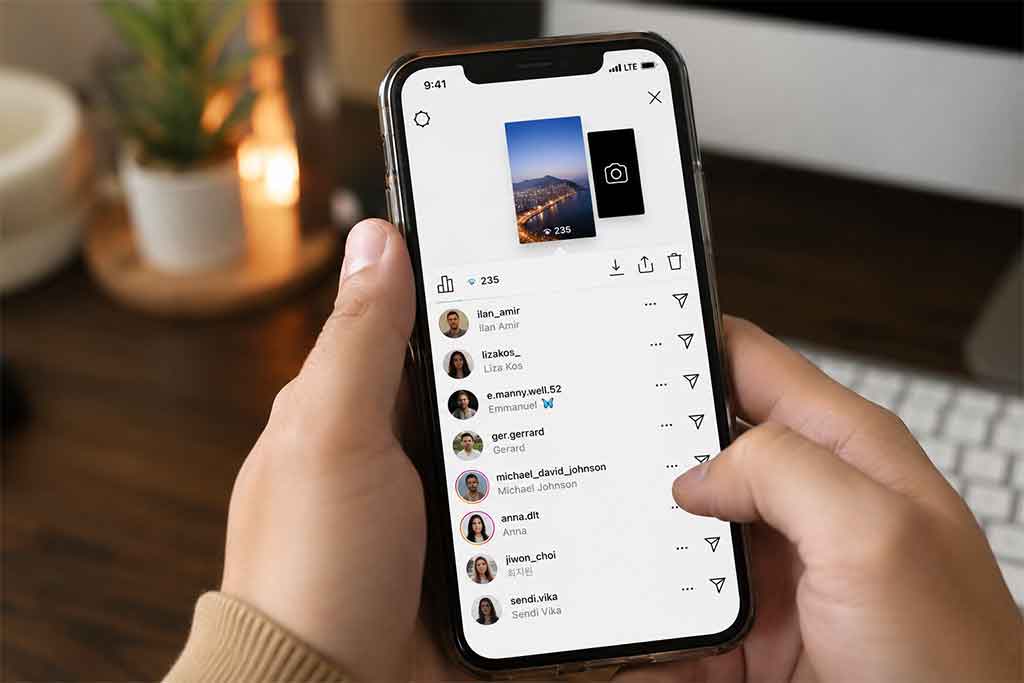

How to Know If Someone Screenshots Your Instagram Story? No, Instagram does not notify you when someone screenshots your Instagram Story. If you are wondering how to know if someone screenshots your Instagram story, the simple answer is that there is currently no official way to see who took a screenshot of your Story posts.
This has been one of the most asked questions among Instagram users for years. Many people want to know whether their followers can secretly save Stories, photos, or disappearing content. While Instagram experimented with screenshot notifications in the past, the feature was removed long ago.
Today, anyone can take a screenshot of your Story without triggering a notification. That includes regular Story uploads containing photos, videos, polls, music, or text updates.
Table of Contents
Does Instagram Notify Screenshots on Stories?
Instagram does not send screenshot alerts for standard Stories. You will not receive a message, notification, or icon showing that someone captured your content.
Many users confuse Instagram Stories with disappearing photos sent through Instagram Direct Messages. These are different features with different privacy rules.
Currently, Instagram only notifies users when someone screenshots disappearing photos or videos sent in vanish mode or private chats. Regular Stories are excluded from this rule.
So if you are searching for how to know if someone screenshots your Instagram story, there is unfortunately no built-in tracking feature available.
Why People Think Instagram Sends Screenshot Notifications
The confusion mostly comes from an older Instagram test feature. Back in 2018, Instagram briefly tested Story screenshot notifications with a small group of users.
During that test, users could see a small star-shaped icon beside viewers who took screenshots of Stories. The experiment did not last long because many users disliked it.
Instagram eventually removed the feature completely.
Even today, rumors continue spreading online saying Instagram secretly added screenshot detection again. In reality, those claims are usually false or outdated.
Can Third-Party Apps Detect Story Screenshots?
No reliable third-party app can accurately tell you who screenshots your Instagram Story.
Some apps claim they can reveal screenshot activity, hidden viewers, or profile stalkers. Most of these apps are misleading and can even put your account security at risk.
Giving unknown apps access to your Instagram login can expose your account to hacking, spam activity, or privacy issues.
If you care about account safety, avoid apps that promise screenshot tracking features Instagram itself does not support.
Keeping your apps updated also matters for security and privacy. You can read more about that in this helpful article about what happens if you never update your apps.
What Content Does Instagram Protect With Screenshot Alerts?
Although Instagram Stories are not protected by screenshot notifications, some private content still triggers alerts.
Instagram may notify users when someone screenshots:
- Disappearing photos in direct messages
- Disappearing videos sent privately
- Content shared in vanish mode chats
These notifications exist because the content is designed to disappear after viewing.
Regular feed posts, Reels, profiles, comments, and Stories do not have screenshot alerts.
How to Protect Your Instagram Stories
Since you cannot fully control screenshots, the best option is protecting your content before posting it publicly.
Here are a few smart ways to improve privacy on Instagram Stories.
Use the Close Friends Feature
The Close Friends option allows you to share Stories with selected people only.
Instead of posting sensitive content to all followers, you can limit access to trusted friends.
This reduces the chances of unwanted screenshots or content sharing.
Hide Stories From Specific Users
Instagram allows you to manually hide Stories from certain accounts.
You can open your Story settings and choose which followers cannot see your posts.
This is useful if you feel uncomfortable sharing personal updates with specific people.
Make Your Account Private
A private Instagram account gives you more control over who can follow you and view your Stories.
Only approved followers can access your content.
While this does not stop screenshots entirely, it lowers exposure to strangers.
Avoid Posting Sensitive Information
Anything uploaded online can potentially be saved, copied, or shared.
Even if Instagram does not notify screenshots, users can still capture content using another phone, screen recording tools, or external devices.
It is always safer to avoid posting highly personal information publicly.
Can Screen Recording Be Detected on Instagram?
No, Instagram does not notify screen recordings for Stories either.
Someone can record your Story video without you knowing.
This is another reason why many creators and users carefully choose what they post on temporary Stories.
Privacy online is never fully guaranteed, even on disappearing content platforms.
How to Tell If Someone Is Secretly Watching Your Instagram
Many users asking how to know if someone screenshots your Instagram story are also curious about suspicious followers or blocked users.
If you think someone restricted or blocked you on Instagram, you can learn the common warning signs in this article about how to know if someone blocked you.
Will Instagram Add Screenshot Notifications Again?
There is always a possibility Instagram could test screenshot alerts again in the future. Social media platforms constantly change features based on user feedback and privacy concerns.
However, as of now, there are no official announcements confirming the return of Story screenshot notifications.
If Instagram eventually changes this policy, users will likely receive updates directly through the app.
Final Thoughts
If you want a direct answer to how to know if someone screenshots your Instagram story, the answer is simple: you currently cannot know.
Instagram does not notify users about Story screenshots, screen recordings, or saved Story captures. Only disappearing direct messages have screenshot alerts.
The best way to protect your privacy is by controlling who can view your Stories, avoiding oversharing sensitive content, and using Instagram’s privacy settings wisely.
At the end of the day, once something is posted online, there is always a chance someone can save it without your knowledge.