
How to Know If Someone Blocked You – If someone suddenly stops replying, your calls go straight to voicemail, or their profile disappears on social media, there is a chance they blocked you. The tricky part is that most apps and phone services never directly tell you when it happens. Instead, you need to look for several signs together before jumping to conclusions.
The fastest way to figure it out is by checking multiple clues at the same time. One sign alone does not always mean you were blocked. Maybe their phone is off, they changed numbers, disabled an account, or simply ignored notifications. But when several signs happen together, the answer becomes much clearer.
In this guide, you will learn exactly how to know if someone blocked you on phone calls, text messages, WhatsApp, Instagram, Facebook, iPhone, Android, and other popular platforms.
Table of Contents
Common Signs Someone Blocked You
Before checking specific apps, pay attention to these common signs. They usually appear first.
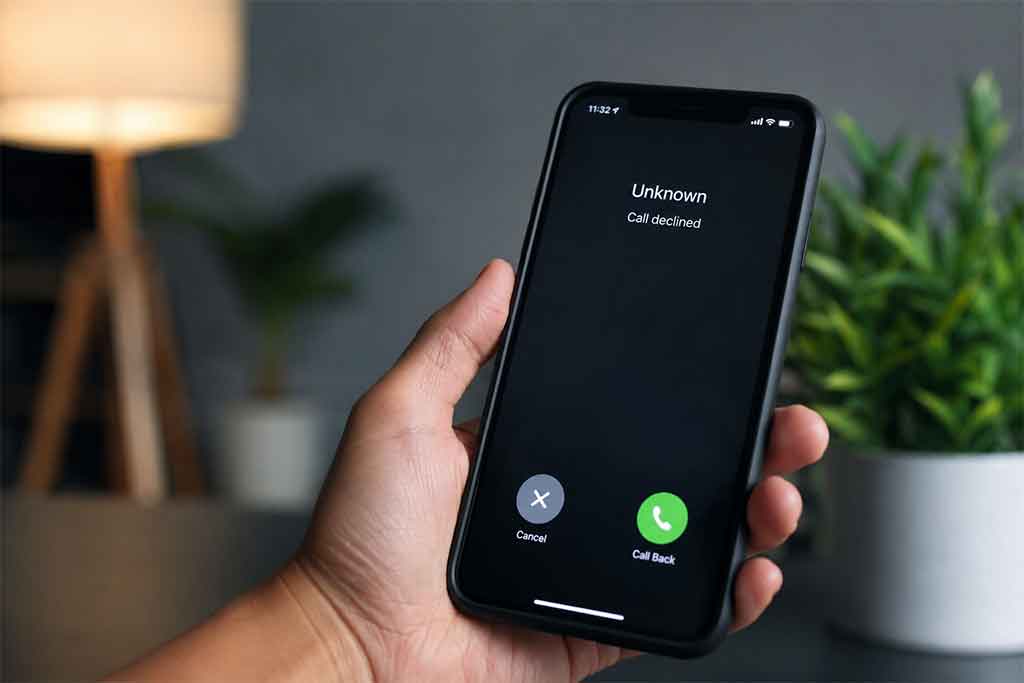
Your Calls Go Straight to Voicemail
If your calls instantly go to voicemail every single time, it may mean your number was blocked. Normally, a phone rings several times before voicemail answers.
Still, this is not always proof. Their phone could be turned off, in airplane mode, or set to Do Not Disturb.
Your Text Messages Never Get Replies
A lack of replies alone does not confirm blocking. However, if the person was usually active and suddenly disappears for days or weeks, it can become suspicious.
On some messaging apps, message status indicators also stop changing. For example, you may only see one check mark instead of two.
You Cannot See Their Profile Updates
Many social media platforms hide profile pictures, stories, online status, or recent activity when someone blocks you.
If their account suddenly disappears completely, that is another possible clue.
You Cannot Add Them to Groups
Apps like WhatsApp often prevent blocked users from adding someone into a group chat.
If you receive an error while trying, blocking may be the reason.
How to Know If Someone Blocked Your Number
Phone blocking behaves differently depending on carriers and devices, but there are several reliable patterns.
Repeated One-Ring Calls
One of the most common signs is hearing just one ring before voicemail picks up.
If this happens consistently over several days, your number might be blocked.
Try Calling From Another Number
The easiest test is calling from another phone number.
If the call suddenly rings normally or gets answered, your original number may have been blocked.
Do not abuse this method or repeatedly contact someone who clearly wants distance.
Listen to Automated Messages
Some carriers play strange automated recordings such as:
- “The customer is unavailable.”
- “The number you dialed is busy.”
- “The person you are calling is not accepting calls.”
These messages can sometimes indicate blocking, although network issues may also trigger them.
How to Know If Someone Blocked You on iPhone
Apple devices include built-in blocking features for calls, texts, and FaceTime.
iMessages Stop Showing Delivered
Normally, iMessage shows a small “Delivered” label under sent messages.
If the label suddenly disappears forever, you may have been blocked.
However, the recipient may also have no internet connection or switched to Android.
FaceTime Does Not Connect
If FaceTime rings endlessly without connecting, it could be another clue.
When combined with undelivered iMessages and unanswered calls, blocking becomes more likely.
Green Bubbles Instead of Blue
Sometimes iMessages turn green because the person disabled iMessage or lost internet access.
It does not automatically mean you were blocked.
How to Know If Someone Blocked You on Android
Android phones vary by manufacturer, but most blocking systems work similarly.
Calls End Immediately
If calls instantly disconnect or move to voicemail every time, blocking is possible.
Texts Never Receive Responses
Android SMS systems usually do not confirm blocking directly. You need to combine this sign with others.
RCS Chat Features Disappear
If you previously used advanced chat features like typing indicators or read receipts and they suddenly vanish, blocking could be involved.
Still, many users disable these features manually for privacy reasons.
How to Know If Someone Blocked You on WhatsApp
WhatsApp has some of the clearest blocking signs.
You Only See One Check Mark
One gray check mark means the message was sent but never delivered.
If every message stays on one check mark for a long time, blocking becomes possible.
You Cannot See Their Last Seen
If their “Last Seen” and online status disappear completely, it may indicate blocking.
However, users can manually hide this information in privacy settings.
Their Profile Photo Never Changes
If their profile picture suddenly disappears or freezes forever, that is another clue.
You Cannot Add Them to a Group
This is one of the strongest indicators.
If WhatsApp says you are not authorized to add them, you were likely blocked.
How to Know If Someone Blocked You on Instagram
Instagram blocking can feel confusing because accounts sometimes disappear entirely.
Their Profile Cannot Be Found
If searching their username suddenly shows nothing, blocking is possible.
But they may also have changed usernames or deleted their account.
Old Conversations Remain but Profile Vanishes
In many cases, old Instagram DMs still exist, but tapping the profile leads nowhere.
This often points toward blocking.
You Cannot Follow Them Again
If the Follow button does not work or instantly resets, you may be blocked.
How to Know If Someone Blocked You on Facebook
Facebook offers several types of restrictions, so blocking is not always obvious.
You Cannot Find Their Profile
If their profile disappears from searches and old links stop working, blocking is possible.
Messenger Messages Stay Unanswered
If messages never deliver and the profile becomes inaccessible, the chances increase.
You Cannot Tag Them
Blocked users cannot tag or invite each other on Facebook.
How to Know If Someone Blocked You on Snapchat
Snapchat blocking usually causes accounts to disappear from searches and friend lists.
Their Username Disappears
If their account no longer appears anywhere, you may have been blocked.
Old Chats Remain Without Interaction
Sometimes previous messages remain visible, but new communication stops completely.
How to Know If Someone Blocked You on Telegram
Telegram gives several subtle hints when blocking happens.
Profile Picture Disappears
You may suddenly see the default blank avatar instead of their real profile picture.
Messages Stay Unread
Messages often remain with a single check mark forever.
Last Seen Changes
Many blocked users only see vague statuses like “last seen a long time ago.”
Why People Block Others
Not every blocking situation is dramatic. Sometimes people simply want privacy, less stress, or fewer notifications.
Others block numbers because of spam, unwanted messages, arguments, or emotional reasons.
In many situations, it is healthier to respect boundaries instead of searching endlessly for hidden clues.
Things That Can Look Like Blocking But Are Not
Many situations imitate blocking behavior even when no block exists.
Dead Battery
A phone with no battery may send calls directly to voicemail.
No Internet Connection
Messaging apps often fail to deliver messages without internet access.
Do Not Disturb Mode
Some devices silence calls and notifications automatically.
If you are curious about how constant phone activity affects devices, this article about never turning off your phone explains how smartphones behave when always active.
Deactivated Social Media Accounts
People sometimes temporarily disable Instagram, Facebook, or WhatsApp accounts for privacy breaks.
Network Problems
Carrier outages and weak signals can interrupt calls or messages.
Overheating devices can also create strange communication issues. This guide on what happens if your phone overheats often explains why smartphones sometimes behave unpredictably.
Should You Contact Someone After Being Blocked?
If someone blocked you intentionally, repeatedly trying to contact them usually makes the situation worse.
Respecting boundaries is almost always the better choice.
Sometimes people need space temporarily. Other times they simply do not want further communication.
Trying to bypass a block using fake numbers, secondary accounts, or other tricks can create unnecessary tension.
How Blocking Works on Different Apps
Each platform handles blocking differently.
Phone Calls
Most carriers silently redirect blocked calls to voicemail.
Messaging Apps
Apps like WhatsApp usually stop message delivery completely.
Social Media
Platforms like Instagram and Facebook often hide entire profiles.
Email Blocking
Email services may automatically send blocked messages into spam folders without notifying senders.
Can You Tell for Sure If Someone Blocked You?
No app gives 100% confirmation for privacy reasons.
Companies intentionally avoid clear notifications because they want to protect user safety and reduce harassment.
The best approach is looking for multiple signs together instead of relying on a single clue.
For example:
- Calls always go to voicemail
- Messages never deliver
- Profiles disappear
- You cannot add them to groups
- Online activity completely stops
When several of these happen at once, blocking becomes highly likely.
How Phone Habits Can Affect Communication
Sometimes people assume blocking happened when the real issue is digital burnout.
Many users ignore messages because they feel overwhelmed by constant notifications and screen time.
This article about checking your phone every 5 minutes explains how nonstop phone habits affect communication behavior.
Likewise, phones with full storage or technical problems may stop receiving updates properly. This guide on phone storage always being full covers how overloaded devices create app issues.
Charging habits can also impact device performance. If apps freeze or messages fail during heavy use, this article about using your phone while charging explains possible effects.
Best Way to Handle the Situation
If you suspect someone blocked you, avoid obsessing over every detail.
Most of the time, constantly testing calls and messages only increases stress.
Instead:
- Look for multiple signs
- Avoid repeated contact attempts
- Respect personal boundaries
- Focus on healthy communication elsewhere
Sometimes silence has nothing to do with blocking at all. People get busy, take breaks from social media, lose phones, change numbers, or disconnect temporarily.
Final Thoughts
Understanding how to know if someone blocked you is mostly about recognizing patterns. One missed call or unread message does not prove anything. But when calls fail, messages never deliver, profiles disappear, and group invitations stop working, blocking becomes much more likely.
The most important thing is not obsessing over certainty. Technology can create misleading signs, and many apps intentionally keep blocking private. Respecting boundaries and avoiding repeated contact is usually the healthiest response.
In the end, focusing too much on whether someone blocked you often causes more anxiety than clarity. The better approach is paying attention to the overall situation, accepting what you cannot control, and moving forward calmly.


